
CLVX 1 Touch Keyboard Buying Decision
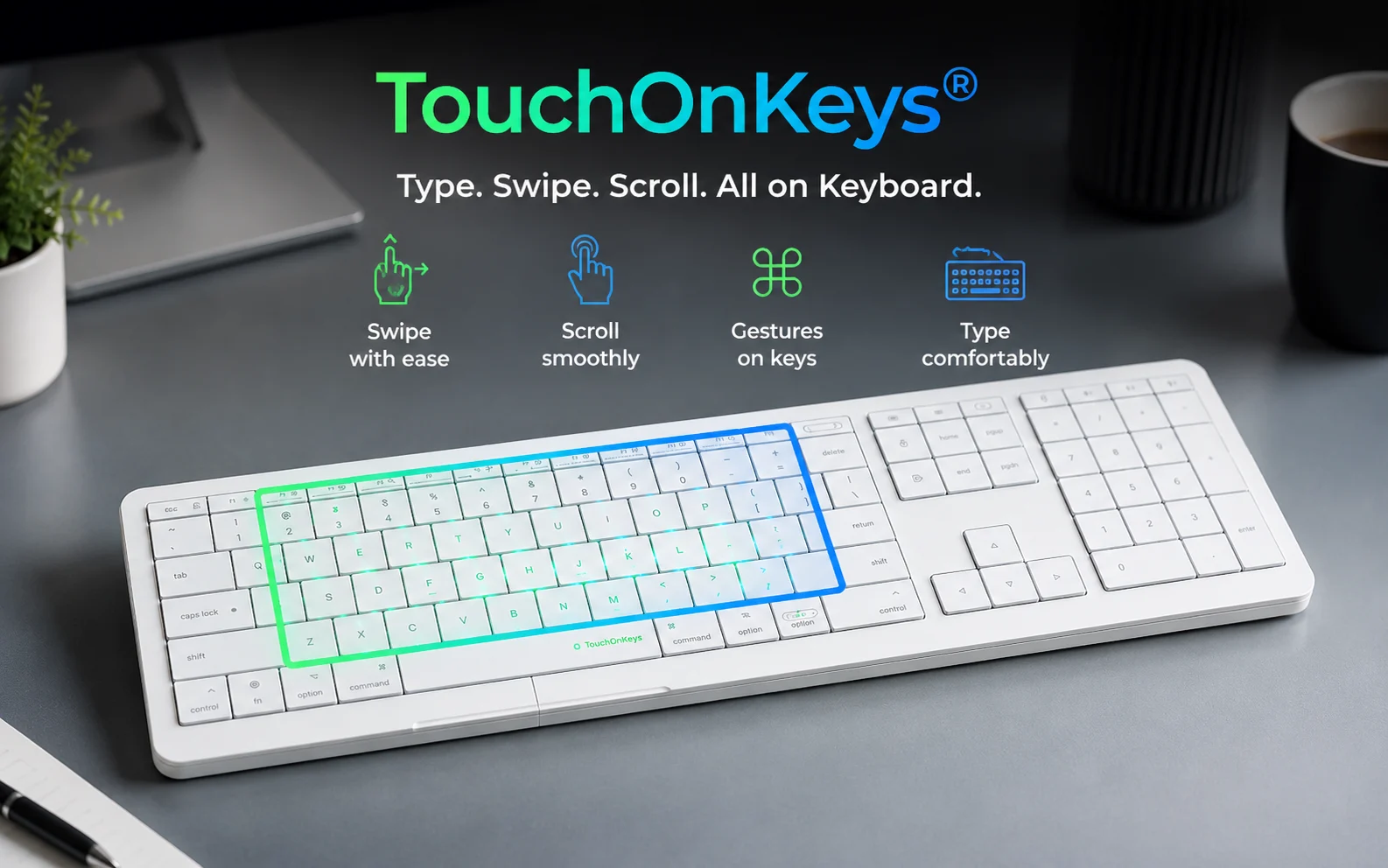


The CLVX 1 is a unique keyboard that lets you type, scroll, swipe, and control your Mac directly from the keys. It aims to reduce hand movement and create a smoother workflow. Useful for Mac power users, developers, creators, and productivity enthusiasts who spend long hours at their desk. But, most people may still prefer using a regular mouse or trackpad, especially considering the premium price.

Description
CLVX 1 Touch Keyboard – Worth Buying or Just a Fancy Keyboard?
Avoid wasting your money.
No
Skip It
Great idea, expensive solution to a tiny problem.
The Purpose: Combines a Mac keyboard and a multi-touch trackpad into a single surface so you don’t have to keep moving your hand to a mouse.
Buyer Mindset: High-quality build and a very cool concept, but it is way too expensive, hard to get used to for precise work, and has poor battery life.
Why is this CLVX 1 Touch Keyboard trending?
- The CLVX 1 is a premium, futuristic keyboard designed for Mac users.
- It looks like a standard low-profile keyboard, but the keycaps themselves act as a giant touch trackpad.
- It is trending because it promises a clean desk with zero hand movement, you can type a sentence and immediately swipe your fingers across the keys to move the cursor or use Mac gestures.
The CLVX 1 Touch Keyboard – Is this really useful for us?
- If you connect your laptop or Apple TV to a big screen and work from a sofa, you don’t need a flat surface next to you for a mouse.
- It is great for propping up an iPad or laptop during a home workout or yoga session, letting you pause or scroll easily from a distance.
Will most Indian users actually use it regularly?
- NO for the average Indian professional, coder, or student.
- At a massive price tag of over ₹47,000, it costs more than an entry-level iPad or a budget laptop.
- While the hardware feels premium, real-world buyers note that using the keycaps as a trackpad feels “bumpy” and lacks the precision needed for Excel sheets, coding, or video editing.
- Most users end up reaching for their actual mouse or external trackpad anyway, which defeats the entire purpose of buying this gadget.
Is it safe around children, parents, and pets?
- Dust and Oil Magnet: The sleek white keys look great initially but attract finger oils and dust very quickly. In Indian households where dust is common, it will require constant wiping to keep the touch sensors working smoothly.
- Not Water Resistant: It has zero water resistance. A single accidental spill of water or tea by a child or family member will instantly permanently damage a ₹47,000 piece of tech.
- Heavy-Handed Typists Beware: If older parents or heavy typists use this, their resting fingers will constantly trigger accidental mouse movements and text highlighting, causing massive frustration.
Will it fit Indian daily life routines?
- No major safety concerns.
- No heating elements
- No sharp parts
- No dangerous batteries
What nobody tells you about this device
- The Battery is a Headache: You have to charge it every 2 days unless you remember to turn it off manually every single time you step away.
- Windows PC Nightmare: Even though it says it works with PCs, multiple buyers report that connecting it via Bluetooth completely crashes Windows Bluetooth drivers, causing constant system beeping. It is strictly a Mac-only device.
- The Click Bars are Stiff: It has separate click bars at the bottom, but they only click easily in the dead center. If you press near the left or right edges, they are very hard to push down.
Who Should Buy This?
- Mac power users
- Developers
- Productivity enthusiasts
- Tech collectors
- People who love futuristic gadgets
- Users who spend 8-10 hours daily on a Mac
Who Should Avoid It?
- Students
- Casual users
- Most office workers
- Budget-conscious buyers
- Gamers
- Users expecting a complete mouse replacement
CLVX 1 Touch Keyboard Buying Decision Prices
Price History
| Price history for CLVX 1 Touch Keyboard | |
|---|---|
|
Latest updates:
|
|
Related Products


